

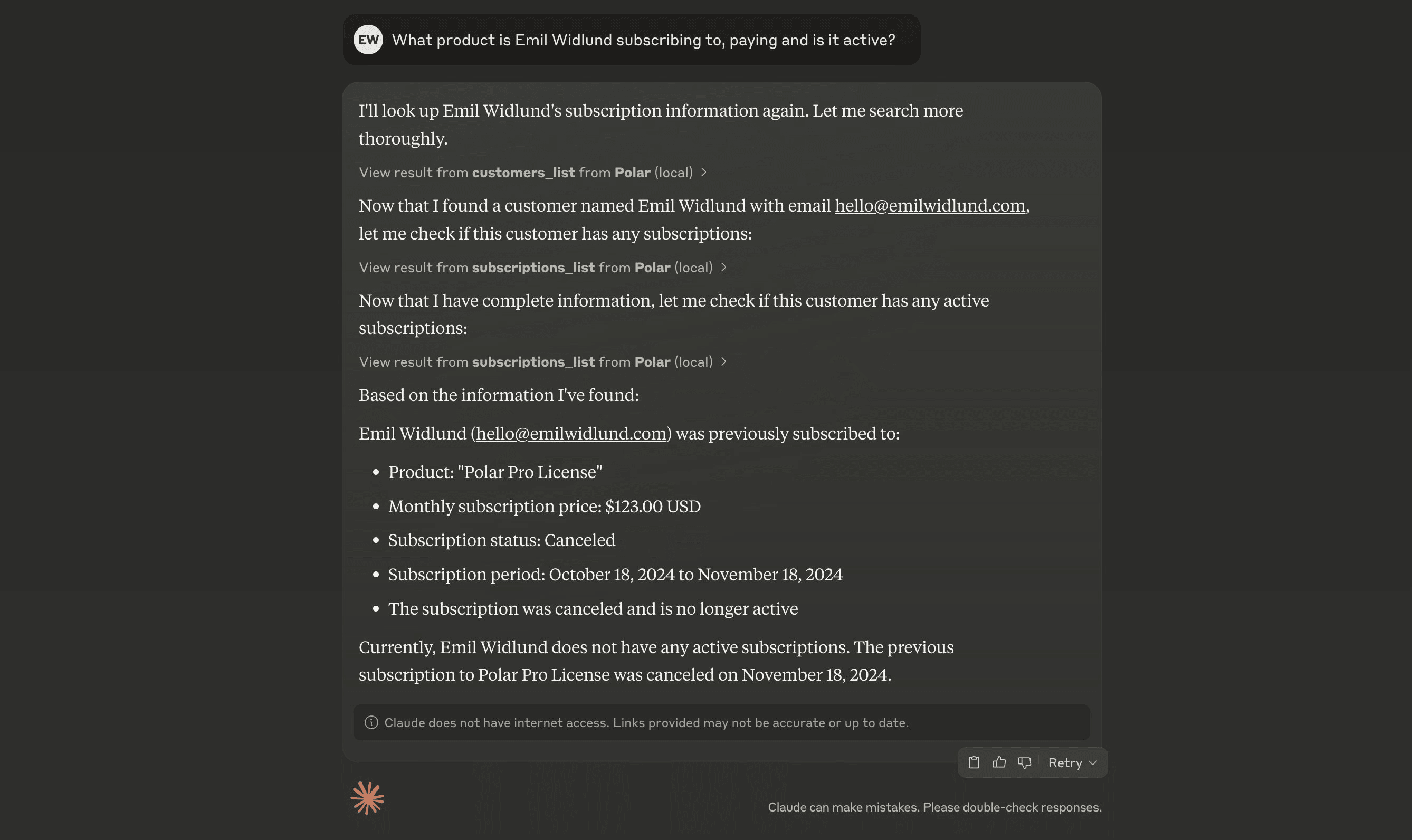
Supercharge your AI agents with Spaire as a Model Context Protocol (MCP) server.

What is MCP?

MCP is a protocol for integrating tools with AI agents. It can greatly enhance the capabilities of your AI agents by providing them with real-time data and context. Spaire offers a remote MCP server that you can connect to from most AI clients.

How does it work?

You need a MCP-capable agent environment to use Spaire over MCP. A few of them are Claude Desktop and Cursor.

Connecting to Spaire MCP

Spaire provides two MCP servers:
  • Production: https://mcp.spairehq.com/mcp/spaire-mcp - Connect to your live Spaire organization
  • Sandbox: https://mcp.spairehq.com/mcp/spaire-sandbox - Connect to the Spaire sandbox environment for testing
When you can specify a MCP URL, use one of the URLs above depending on your environment. If you have to specify a command, use:
{
  "mcpServers": {
    "Spaire": {
      "command": "npx",
      "args": ["mcp-remote", "https://mcp.spairehq.com/mcp/spaire-mcp"]
    }
  }
}
For sandbox:
{
  "mcpServers": {
    "Spaire Sandbox": {
      "command": "npx",
      "args": ["mcp-remote", "https://mcp.spairehq.com/mcp/spaire-sandbox"]
    }
  }
}

Cursor

In .cursor/mcp.json, add:
{
  "mcpServers": {
    "Spaire": {
      "url": "https://mcp.spairehq.com/mcp/spaire-mcp"
    }
  }
}
For sandbox:
{
  "mcpServers": {
    "Spaire Sandbox": {
      "url": "https://mcp.spairehq.com/mcp/spaire-sandbox"
    }
  }
}

Windsurf

In mcp_config.json, add:
{
  "mcpServers": {
    "Spaire": {
      "command": "npx",
      "args": ["mcp-remote", "https://mcp.spairehq.com/mcp/spaire-mcp"]
    }
  }
}
For sandbox:
{
  "mcpServers": {
    "Spaire Sandbox": {
      "command": "npx",
      "args": ["mcp-remote", "https://mcp.spairehq.com/mcp/spaire-sandbox"]
    }
  }
}

Codex

Add the following to your ~/.codex/config.toml:
[features]
rmcp_client = true

[mcp_servers.spaire]
type = "http"
url = "https://mcp.spairehq.com/mcp/spaire-mcp"
Then run:
codex mcp login spaire
For sandbox:
[features]
rmcp_client = true

[mcp_servers.spaire_sandbox]
type = "http"
url = "https://mcp.spairehq.com/mcp/spaire-sandbox"
Then run:
codex mcp login spaire_sandbox

Claude Code

Run the following command:
claude mcp add --transport http "Spaire" "https://mcp.spairehq.com/mcp/spaire-mcp"
For sandbox:
claude mcp add --transport http "Spaire Sandbox" "https://mcp.spairehq.com/mcp/spaire-sandbox"

ChatGPT

MCP is only available for paid users in beta on ChatGPT web, by enabling Developer Mode. Once Developer Mode is enabled, go to SettingsConnectors and add the MCP server using https://mcp.spairehq.com/mcp/spaire-mcp. For sandbox, use https://mcp.spairehq.com/mcp/spaire-sandbox instead.

Claude Desktop

Go to SettingsConnectors and click Add custom connector. Name it “Spaire” and add https://mcp.spairehq.com/mcp/spaire-mcp as the server URL. For sandbox, use https://mcp.spairehq.com/mcp/spaire-sandbox as the server URL instead. Save, and click Connect to connect to your Spaire organization.